A powerful formatting language developed specifically for this application
allows you to format your posts without knowledge of HTML. This formatting
language is easy for both HTML users and non-HTML users to learn quickly. There
are examples after each major section.
Upon posting, you are prompted
for an image file to upload. Images must be either GIF or JPEG format.
Images must be saved on your hard disk. Your browser must support
form-based file upload (Netscape Navigator 2.0+ and Internet Explorer
4.0+ support this; IE 3.02 will also work provided that you have
installed the file upload patch).
You can hand-enter tables or you can paste in tables directly from a
tab-delimited spreadsheet (such as Microsoft Excel). See the "Pasting
Tables" instructions if you are pasting a table directly from Excel.
Tag
Description
\table{Table Items}
Creates a table of the Table
Items (table HAS a border)
\tablenb{Table Items}
Creates a table of the Table
Items (table has NO border)
\list{List Items}
Creates a bulleted list of the
List Items
\olist{List Items}
Creates an ordered (numbered
list of the List Items)
Table
Items and List Items
The Table Items are divided into columns by commas and into rows by
newline characters (carriage returns). Thus, the entry \table{1,2,3}
would create a table with three columns (with entries "1",
"2", and "3").
The List Items are separated by newline characters (carriage
returns). Each List Item is given a bullet.
See the examples for further explanation.
Pasting
Tables
You can paste in tables from tab-delimited spreadsheets such as Microsoft
Excel. To paste a table, do the following:
Open your spreadsheet using Excel.
Select the range that you wish to paste as a table using Excel.
Choose Edit and then Copy.
Bring up your WWW browser.
Enter an "empty" table tag (such as \table{ } or \tablenb{
}) in your message. Do not put in any Table Items at this
time.
Click the mouse between the curly braces in that tag.
The message preview shows your tags in action. If you look at it and your \b{Bold
text} isn't bold, you have made a mistake!
Using / instead of \ to start a tag
/b{Bold text tag} is
wrong
\b{Bold text tag} is correct
Using parentheses instead of curly braces
\b(Bold text tag)
is wrong
\b{Bold text tag} is correct
Using the wrong case in tags
\B{Bold text tag} is wrong (\B{
} is not defined)
\b{Bold text tag} is correct
Not escaping commas where necessary
Advanced tags use the comma to separate the various arguments. If you
need to use a comma and not have it treated as a delimiter, you must
escape the comma.
See the discussion under "Special Characters" for further
explanation and many examples.
Putting spaces where they do not belong
\ b{Bold text tag} is wrong (space between \ and b).
\b {Bold text tag} is wrong (space between b and {).
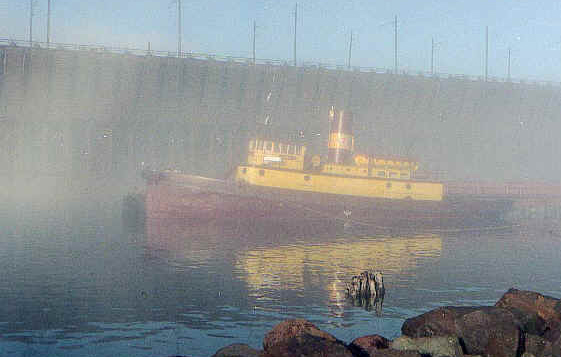 Two Harbors ForumBulletin Board Archive
 Simple
Features
Simple
Features and I smile
like this:
and I smile
like this:  .
.